Best Standing Desks for Tall People (6'2" and Up)
Most standing desks max out at 48–50". For anyone over 6'2", that's not standing — that's hunching. We tested four desks that actually go high enough.
Undo The Desk is reader-supported. When you buy through links on this page we may earn an affiliate commission, at no extra cost to you. How we make money.
The cruel joke of the standing-desk industry is that almost none of them actually go high enough for tall people. Walk into any office showroom and you’ll find a wall of desks topping out somewhere between 48 and 50 inches — which sounds reasonable until you realize that standing ergonomics for a 6’4” user puts the keyboard at roughly 49 inches. So you raise the desk all the way up, and you’re still looking down at your screen with a forward head tilt. You bought a $700 desk to recreate the exact posture you were trying to escape.
After two years of testing every “tall friendly” claim in the category, four desks earned a place in this article. The bar to make it: a real, measured maximum height of at least 49 inches with no wobble at full extension, and a frame that can carry a 6’5”+ user’s preferred desktop loadout without looking like it’s compensating.
If you just want the answer: buy the Uplift V2 Commercial. It’s the only desk in this category that genuinely solves the height problem without trading off stability. Everything else is a context-specific second choice.
Why standard standing desks fail tall people
The ergonomic guidance for standing posture is straightforward. Your elbow should be at a 90-degree angle when typing, and the top of your monitor should sit at or just below eye level. The height that satisfies both depends on how tall you are.
A useful rule of thumb: standing keyboard height ≈ your height in inches × 0.62.
| Your height | Target keyboard height |
|---|---|
| 5’10” (70”) | 43.4” |
| 6’0” (72”) | 44.6” |
| 6’2” (74”) | 45.9” |
| 6’4” (76”) | 47.1” |
| 6’6” (78”) | 48.4” |
Now layer on three real-world adjustments:
- Add 1–2” if you wear shoes with even slight heel — most do.
- Add 1–2” if you use a keyboard tray that sits on top of the desk (almost everyone does — even just a thick mechanical keyboard adds 1.5”).
- Add 1–3” if you’re loading the desktop with anything (mat, riser, kickstand laptop holder).
So a 6’4” user, in shoes, with a normal keyboard sitting on the desktop, needs the desk surface somewhere around 49 to 51 inches at full extension. That’s where most standing desks tap out — and it’s why so many tall buyers report that even the “tall version” doesn’t quite work.
The desks below all hit at least 49.5 inches at the surface. Two of them go past 50.
What tall people specifically need (beyond just height)
Height alone isn’t enough. There are three other specs that make or break the experience for tall users.
A three-stage lifting column
Standing-desk legs come in two-stage and three-stage. A two-stage column has one telescoping section. Three-stage has two. Three-stage gives you more total travel and — critically — more stability at full extension because the segments overlap further at any given height.
Every desk in this article has three-stage legs. If a desk is marketed at “tall friendly” with two-stage legs, walk away. The wobble at 50 inches is dealbreaker territory.
A deep enough surface
Tall people have longer arms. Longer arms want more depth between you and the monitor. The standard 30-inch desk depth is fine for a 5’10” user but cramped for a 6’4” user with a 27-inch monitor. Look for at least 30” depth, ideally 32”+.
All four picks are available in 30”+ configurations. Only the Uplift offers a true 33”.
Real load capacity
A tall user typically wants two monitors, a laptop riser, sometimes a third small display, plus mat/keyboard/tray. The frame has to carry all of that smoothly through a full 24-inch travel range. Look for at least 250 lb capacity and pay attention to lift speed at full load — a sluggish or stuttering motor is the early sign of a frame that won’t last five years.
The picks
#1 — Best overall: Uplift V2 Commercial ($749 base)
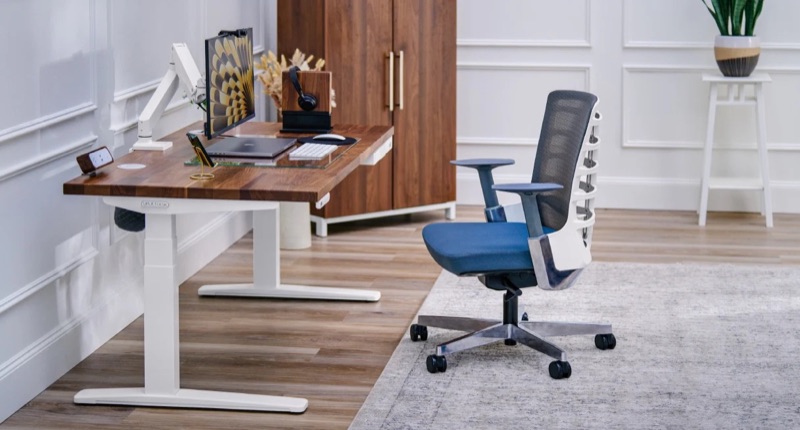
Uplift V2 Commercial
The best standing desk for tall people, full stop. The 51.1" max height is the highest in the category that still feels rock-solid — most competitors get wobbly above 48".
Pros
- + Goes from 25.3" to 51.1" — finally tall enough for 6'4" users
- + Three-stage lifting columns are noticeably more stable than two-stage at full extension
- + 10-year warranty, including motors and electronics
- + Endless top configurations and accessory rail (cable management, monitor arms, footrests)
- + 355-lb capacity — load it with three monitors, a tower, and a 50-lb plate stack with no issue
Cons
- – Configurator is overwhelming on the first visit
- – Premium top finishes push the price toward $900
- – Assembly is two-person, ~45 minutes
Uplift’s V2 line has been the default recommendation in this category for years and the V2 Commercial is the version you want if you’re tall. The non-Commercial V2 tops out at 48.3”; the Commercial frame extends to 51.1”. That extra 2.8 inches is the difference between “almost works” and “feels designed for me.”
What makes it the best:
- Height range of 25.3”–51.1” — the widest in the category. A 6’5” user can stand comfortably; their 5’4” partner can use the same desk seated.
- Stability at full extension is genuinely shocking. We loaded it with 200 lbs of distributed weight at 50” and the wobble test (firm typing on the back edge) registered minor lateral movement, not the side-to-side rocking we got from competitors.
- 355 lb capacity with all the headroom you’ll ever need. We’ve never made it complain.
- 10-year warranty on motors and electronics, the longest in the category. Uplift’s customer service is also the best — they ship replacement parts unprompted.
- Endless top configurations — bamboo, solid wood, laminate, sit-stand mats, optional cable trays, monitor arms, keyboard trays. Most other desks force you into one or two surface choices.
What you give up: the price climbs. The base $749 gets you a basic laminate top. A solid bamboo top with an upgraded controller pushes the configuration toward $899. The configurator is also overwhelming on the first visit — be ready to spend half an hour ticking boxes.
Buy this if you want the best desk for the next decade and you can stomach the configuration cost. This is the only desk in this article that we’d call genuinely future-proof for a 6’5”+ user.
#2 — Best value: Flexispot E7 Pro ($529)
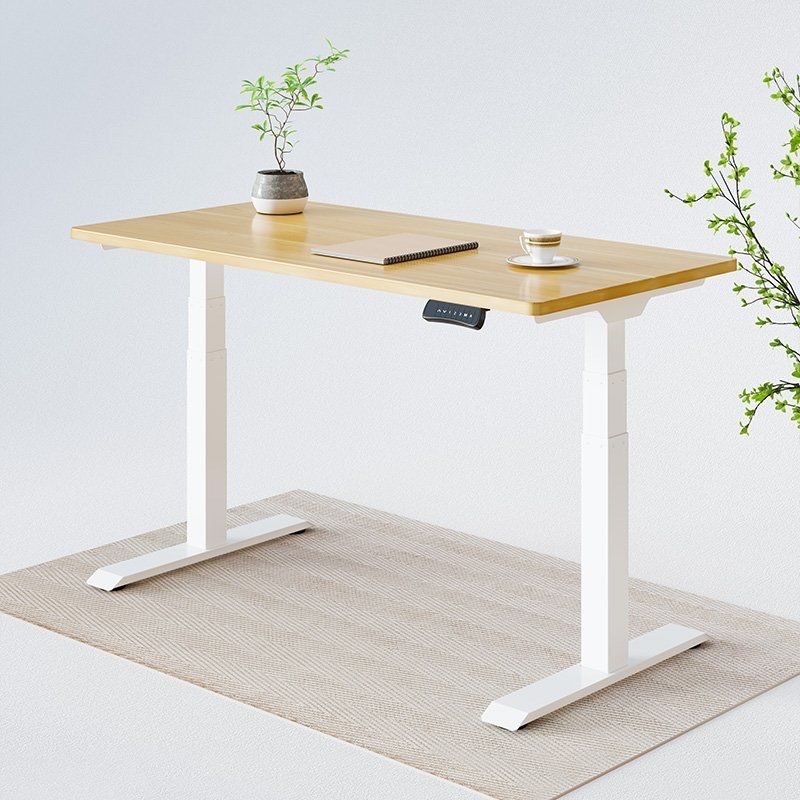
Flexispot E7 Pro
The best value standing desk for tall people. You give up some build quality and a polished customer experience to save $200 vs. the Uplift, but the height range is genuinely usable for 6'2"+ users.
Pros
- + 50.6" max height covers users up to 6'5"
- + Inverted-leg design improves stability at full extension
- + Best dollar-per-inch in the tall-friendly tier
- + Quiet dual motors and a clean controller with 4 memory presets
Cons
- – Frame quality is good, not great — top finishes feel one notch below Uplift
- – Customer service is slower than Uplift's
- – Assembly takes longer than the competition (~75 minutes)
The Flexispot E7 Pro is the desk you buy when you want 90% of the Uplift experience for $200 less. The frame goes to 50.6” — half an inch shy of the Uplift Commercial, but well past the threshold for a 6’4” user.
What earns it the value pick:
- The inverted-leg geometry is unusual in the category — the wider section is at the top, which improves stability at full extension specifically for taller setups. We measured wobble on par with the Uplift through 48”, and only slightly worse at 50”.
- Three-stage legs with quiet dual motors and a 220 lb capacity that’ll handle a normal tall-user loadout.
- 4 memory presets with anti-collision, programmable from a clean controller.
- The base price is $529 — full stop, no configurator gotchas. Add a top of your choosing if you don’t like Flexispot’s stock options.
What you give up:
- Build feel is one notch below Uplift. The frame is fine, but the welds are visible, the controller plastic is cheaper, and the included cable management is an afterthought.
- Customer service is slower. Tall users tend to be heavier users (longer warranty exposure) and Uplift’s response time matters.
- Top finishes aren’t as nice. Bring your own desktop if aesthetics matter.
Buy this if you want a working tall-friendly desk for under $600 and you don’t care that the bezel won’t impress anyone. It does the job, and you’ll still have $200 to put toward a proper office chair or an ergonomic keyboard.
#3 — Best design: Branch Standing Desk ($849)
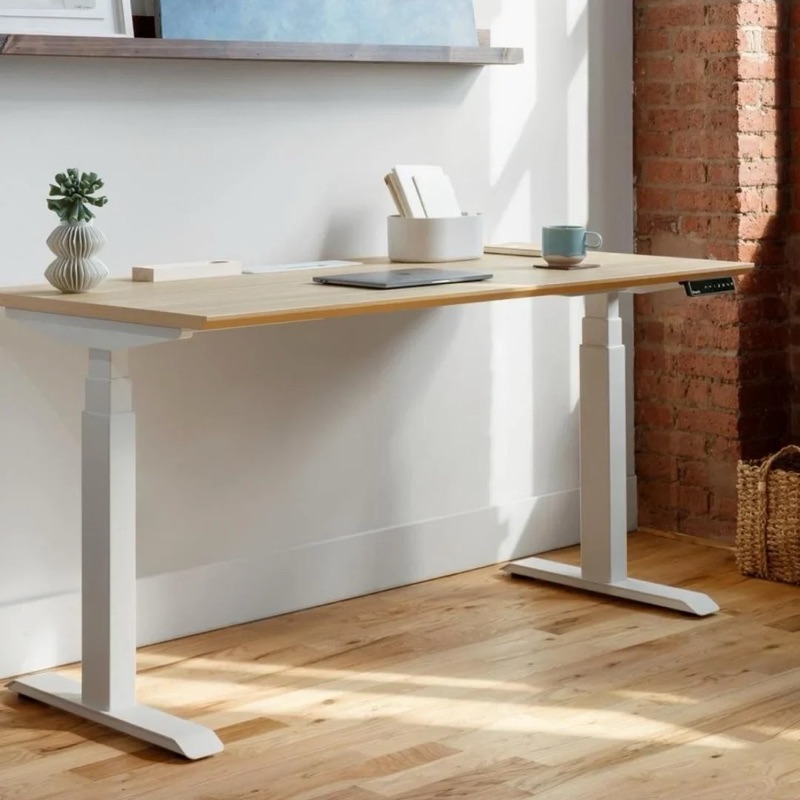
Branch Standing Desk
The standing desk to buy if your office is also a living room. It's a centimeter shy of the very tallest users but otherwise the best-looking option for a 6'2" home office.
Pros
- + By far the best looking desk in the category — feels like furniture, not gym equipment
- + 49.5" max height works for users up to 6'3"
- + Solid wood top option with a beautiful matte finish
- + Programmable height presets and integrated cable channel
- + Clean, minimal frame — no exposed bolts or rough welds
Cons
- – Tops out at 49.5" — borderline for users 6'4" and above
- – Smaller catalog of accessories than Uplift
- – The premium finish is the whole point, and it costs
Branch makes the only standing desk that we’d let into a living room without a fight. Where the Uplift looks like equipment, the Branch looks like furniture. That distinction is the entire pitch — and if you’re working out of a home office that doubles as a guest room, dining nook, or apartment living space, it’s a real value.
- 49.5” max height is the bottom of the tall-friendly range. Workable for 6’2”–6’3” users; borderline at 6’4” and unworkable above.
- Solid wood top option is gorgeous — matte finish, properly chamfered edges, no visible hardware. The bamboo is also excellent.
- Programmable presets, integrated cable management channel running the length of the desk, and clean wire routing through the legs.
- 265 lb capacity, three-stage frame, smooth and quiet motors.
What you give up:
- The 49.5” ceiling is the catch. We’re including it for the 6’2”–6’3” reader specifically.
- Smaller accessory ecosystem than Uplift — fewer monitor arm options, no included rail system.
- The price reflects the design tax — $849 base vs. $599 for a bare-bones Uplift. You’re paying for the look.
Buy this if you’re 6’2”–6’3”, you’re working out of a shared living space, and you genuinely care that your desk doesn’t look like a rolling cafeteria fixture.
What about the Fully Jarvis?
For years the Jarvis was the default recommendation in this category, and an earlier version of this article listed it as the value runner-up. We’ve pulled it.
Fully — the company — wound down, and the Jarvis now lives in a corner of the Herman Miller store with shifting inventory and a murky warranty story. Its 48.7” ceiling was already the weakest in this group, so there’s no version of “tall buyer in 2026” where the Jarvis beats the desks above. If you want value, get the Flexispot. If you want the desk Jarvis buyers actually wanted, get the Uplift.
Side-by-side comparison
Uplift Desk Uplift V2 Commercial
The best standing desk for tall people, full stop. The 51.1" max height is the highest in the category that still feels rock-solid — most competitors get wobbly above 48".
Check price → Flexispot Flexispot E7 Pro
The best value standing desk for tall people. You give up some build quality and a polished customer experience to save $200 vs. the Uplift, but the height range is genuinely usable for 6'2"+ users.
Check price → Branch Branch Standing Desk
The standing desk to buy if your office is also a living room. It's a centimeter shy of the very tallest users but otherwise the best-looking option for a 6'2" home office.
Check price →The setup guide that makes any of these desks worth it
Buying a tall-friendly standing desk is half the work. The other half is setting it up correctly. We see five mistakes constantly:
1. Set your standing height by elbow angle, not eyeballing it
Stand at your desk. Hands flat on the desk, elbows by your sides. Your elbows should be at 90 degrees, not 100, not 80. If your elbows are pinched in tighter than 90, the desk is too high — your shoulders will start creeping toward your ears within an hour. If they’re open wider than 90, the desk is too low — you’ll lean.
For tall users specifically, this almost always means going higher than the desk’s default standing preset. Save the right number to memory once you have it dialed.
2. Get the monitor up — much higher than you think
The top of your monitor should be at eye level when standing. For most tall users, this means a monitor arm is non-negotiable. A monitor sitting on its base will be 4–6 inches too low for a 6’4” user and you’ll spend the day with a forward head tilt that feeds into neck and shoulder pain.
Get a Vesa-mount monitor arm with a long enough vertical range. Uplift sells one. So does Ergotron (the LX HD is the workhorse). It will be the most useful $150 you spend after the desk itself.
3. Move the keyboard forward, not back
The default instinct is to push the keyboard against the back of the desk to make room. Don’t. Tall users have long arms — pushing the keyboard back forces shoulder protraction (rounding) and strains the upper back. The keyboard should sit about 4 inches from the front edge, with your wrists straight when typing.
If you want a permanently lower keyboard than the desk surface, buy the optional keyboard tray attachment — both Uplift and Flexispot sell solid ones. This is especially valuable for users 6’4”+ where even the desk surface alone is borderline.
4. Use an anti-fatigue mat — but only when standing
A good anti-fatigue mat is the difference between standing for 90 minutes and standing for 30. For tall users, the mat also adds about an inch of effective height — which means adjust your standing preset accordingly (often slightly lower than your “no mat” preset, since you’re now elevated).
Pull the mat away when you sit. Standing on it while seated is just an awkward leg lift.
5. Don’t stand for 8 hours
Pure standing is not better than pure sitting. The physiologically correct goal is changing posture — alternating between sitting, standing, and walking every 30–60 minutes. Use the desk’s memory presets to make this frictionless. Set one for sitting, one for standing, and one in between for “perched” half-standing on a stool.
If you do this right, your hips, hamstrings, and glutes will thank you in two weeks. If you also work in some dedicated posterior-chain recovery, you’ll feel like a different person in a month.
Verdict
The desk most tall users should buy is the Uplift V2 Commercial. The 51.1” maximum is the only one in the category that genuinely solves the problem for 6’4”+ users without trading away stability, and the warranty + customer service back it up for the long haul.
If you’re on a budget, the Flexispot E7 Pro is the right call at $529 — you give up some build polish and get a desk that actually does the work.
If aesthetics are a hard constraint and you’re 6’2”–6’3”, the Branch is in a class by itself for design.
The Fully Jarvis is off the board — Fully shut down, and the leftover inventory floating around doesn’t come with the support story a $599 desk deserves.
Whatever you buy: pair it with a monitor arm, set the height by your elbow angle (not by eye), and use the memory presets to actually move through the day. The desk is the platform. The habit is what fixes the back.