Uplift V2 Commercial vs. Flexispot E7 Pro: The $220 Question
The two best tall-friendly standing desks, head to head — height, stability, warranty, and the honest answer to whether the Uplift is worth $220 more.
Undo The Desk is reader-supported. When you buy through links on this page we may earn an affiliate commission, at no extra cost to you. How we make money.
If you’ve done any real research on standing desks that actually go high enough — and if you’re over 6 feet, you’ve learned the hard way that most don’t — you’ve ended up exactly here: Uplift V2 Commercial or Flexispot E7 Pro. They’re the two desks from our tall-person standing desk guide that solve the height problem without going wobbly at the top, and they’re separated by about $220.
This is the focused head-to-head: where the $220 goes, where it doesn’t, and which buyer each desk is actually for.
The 60-second answer
Buy the Uplift V2 Commercial if the desk is long-term infrastructure: you’re 6’4”+, you load the desktop heavy, you want the 10-year warranty and the accessory ecosystem, and $220 amortized over a decade reads as noise.
Buy the Flexispot E7 Pro if you want 95% of the function for 70% of the price: you’re 6’2”–6’5”, your loadout is normal (monitors, laptop, the usual clutter), and you’d rather put the $220 toward a monitor arm and an anti-fatigue mat — which, frankly, is a strong play.
Nobody who buys either desk for height reasons ends up disappointed about height. The differences live elsewhere.
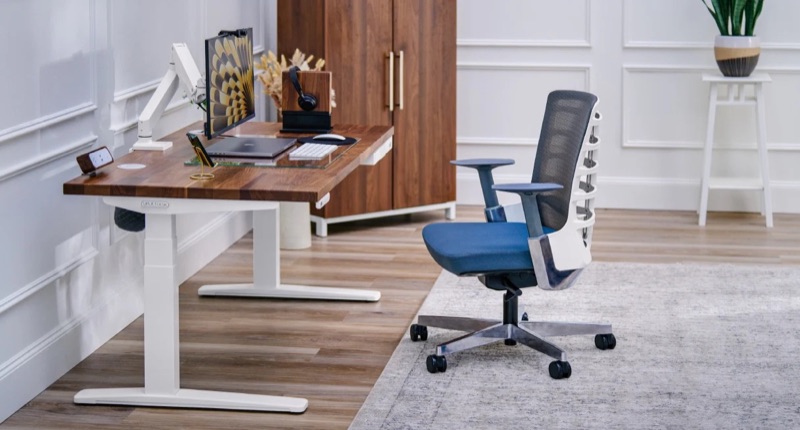 Uplift Desk
 Uplift V2 Commercial
The best standing desk for tall people, full stop. The 51.1" max height is the highest in the category that still feels rock-solid — most competitors get wobbly above 48".
Check price →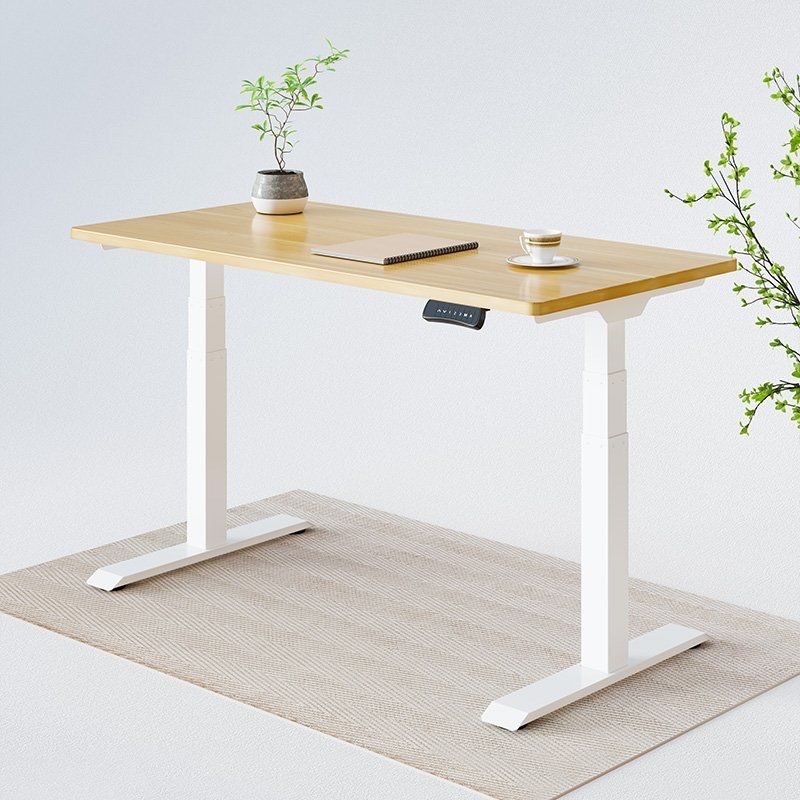 Flexispot
 Flexispot E7 Pro
The best value standing desk for tall people. You give up some build quality and a polished customer experience to save $200 vs. the Uplift, but the height range is genuinely usable for 6'2"+ users.
Check price →Round 1: Height range — effectively a tie
The Uplift V2 Commercial runs 25.3” to 51.1”; the E7 Pro tops out at 50.6”. That half inch matters to almost nobody — both clear the math for a 6’5” user in shoes with a keyboard on the desktop (the height arithmetic is in the main guide).
The Uplift’s bottom of range is the quieter win: 25.3” is genuinely low, which matters if the desk is shared with a shorter partner or you like a low sitting position with a keyboard tray. If you’re buying for two very different heights, the Uplift’s wider total travel is a real point, not a spec-sheet point.
Round 2: Stability at full extension — Uplift, by a usable margin
Both desks are three-stage designs that stay solid where two-stage desks get nautical. But push both to 50”+ with a heavy loadout and the Uplift’s frame — plus its 355 lb capacity against the E7 Pro’s still-generous rating — holds steadier under aggressive typing and leaning. The E7 Pro’s inverted-leg design is clever and clearly works; it’s just competing against the most overbuilt frame in the category.
The honest framing: at 6’2” and a normal load, you will not notice the difference. At 6’5” with three monitors and a sit-stand habit that cycles the desk six times a day, you might.
Round 3: Build, finish, and the unboxing tax
The Uplift’s premium tops are nicer than the E7 Pro’s — that’s part of where the money goes, and the configurator will happily walk the price from $749 toward $900 if you let it. The E7 Pro’s finishes are good-not-great; the frame is the star.
Assembly: the Uplift takes about 45 minutes with two people; the E7 Pro is closer to 75 minutes and the instructions assume more patience. One Saturday morning either way — but if you hate flat-pack furniture, the Uplift is the gentler experience and the configurator’s overwhelm is its own small tax.
Round 4: Warranty and the long game — Uplift, clearly
This is the most underrated $220 in the comparison: the Uplift V2 Commercial carries a 10-year warranty covering motors and electronics — the components that actually fail on standing desks. Flexispot’s coverage is solid but shorter, and their customer service runs slower when you need it.
A standing desk is a motor appliance you’ll cycle thousands of times. If you think in decade terms, the Uplift’s warranty quietly closes most of the price gap; if you replace furniture every few years anyway, it’s worth much less to you.
Round 5: Ecosystem — Uplift; price-per-inch — Flexispot
The Uplift accessory rail (cable management, monitor arms, footrests, hooks, power) is the best in the category and makes the desk feel like a platform. Flexispot’s catalog is thinner.
But on raw value the E7 Pro is untouchable: it’s the best dollar-per-inch desk in the tall-friendly tier, with quiet dual motors and four memory presets — the two features you’ll actually touch every day — at $529.
How to choose, by situation
- 6’4”+ and this desk will outlive your next two jobs → Uplift V2 Commercial. The warranty and frame are built for exactly you.
- 6’2”–6’5” and value-driven → Flexispot E7 Pro, and spend the savings on a monitor arm — the combined setup beats a bare Uplift for total ergonomics.
- Sharing the desk with a much shorter partner → Uplift, for the wider travel range.
- Heavy loadout — multi-monitor, tower, gear → Uplift, for the 355 lb rating and full-extension stability.
- First standing desk, not sure you’ll convert → E7 Pro. It’s the cheaper way to find out, and it gives up almost nothing where it counts.
The verdict
The Flexispot E7 Pro is the right buy for most people reading this page — the height is real, the motors are quiet, and the $220 you keep buys the accessories that complete the setup. The Uplift V2 Commercial is the right buy when the margins matter: maximum height and maximum load, a shared desk, or a buyer who wants the decade warranty and the platform. Both clear the bar that disqualifies everything else in the category; you’re choosing between value and headroom, not between good and bad.
Whichever you pick, the desk is half the project — set the height by elbow angle, get the monitor up, and use the presets to actually move. The full setup guide covers the five mistakes everyone makes, and if a cranky lower back is what brought you here, start with why sitting wrecks your lower back.
Frequently asked questions
Is the Uplift V2 Commercial worth the extra money over the Flexispot E7 Pro?
It's worth roughly $220 more if you hit one of three conditions: you're 6'4"-plus with a heavy desktop loadout (the frame and 355 lb rating earn their keep), you share the desk across very different heights (wider travel range), or you think in decade terms (10-year warranty on motors and electronics). For a typical 6'2" user with monitors and a laptop, the E7 Pro delivers about 95% of the function and the honest answer is no — put the difference toward a monitor arm.
Is the Flexispot E7 Pro stable at full height?
Yes — its three-stage, inverted-leg design stays usable at its 50.6" maximum, which is precisely why it made our tall-person shortlist when most desks get wobbly past 48". The Uplift V2 Commercial is steadier still under heavy load and aggressive typing at maximum extension, but the E7 Pro's stability is a real strength, not a compromise.
Which standing desk is best for someone 6'4" or taller?
Both clear the math: a 6'4" user in shoes with a keyboard on the desk needs roughly 49–51 inches of surface height, and the E7 Pro (50.6") and Uplift V2 Commercial (51.1") both deliver it without wobble. The Uplift is the safer pick at the extreme — 6'5"-plus, heavy load, or if you want margin to spare — while the E7 Pro is the value pick that still genuinely fits.
How long does standing desk assembly take?
Plan a Saturday morning either way: the Uplift V2 Commercial runs about 45 minutes with two people and clearer instructions; the Flexispot E7 Pro is closer to 75 minutes and rewards patience. Neither requires unusual tools, but both frames are heavy enough that a second set of hands saves your back — which would be an ironic injury for this purchase.